Live radar + iPhone sky scanner
Not the whole world. Your sky.
See nearby aircraft live, point your iPhone skyward and collect only what you have actually seen.
1090 MHz
THE SKY IS BROADCASTING.
MODE 1090 turns live aviation data into a calm, legible view of the traffic around you. No world map first. No cockpit cosplay. Just the sky that is relevant now.
Camera scan on iPhone
Scan the sky. Identify the aircraft.
Open the rear-camera viewfinder, follow the live alignment guide and confirm the aircraft you actually see. MODE 1090 combines fresh flight tracks with your precise location, compass and device tilt.
- 01AimOpen the rear camera
- 02AlignFollow the live guide
- 03ConfirmSave the sighting
The MODE 1090 loop
From contact to memory.
A focused loop for curious observers, spotters and pilots who still look up.
- 01
See
Open a live view of nearby aircraft at 10, 25, 40 or 80 nautical miles.
- 02
Identify
Read callsign, aircraft type, altitude, speed, route and distance.
- 03
Confirm
Point the rear camera toward the sky and confirm the aircraft you can see.
- 04
Collect
Save the real sighting with time, place, aircraft, airline and registration.
iPad + Mac
More room for every contact.
The radar expands into a wider workspace with a persistent sidebar and more space for flight details, routes and nearby aircraft.
Built for the desk, a spotting setup or a second screen beside you.Your sightings
Every aircraft earns its place.
Build a personal gallery of types, airlines and registrations you have actually seen. Familiar workhorses sit beside rare contacts such as the Beluga.
Boeing 737-800
Seen
Boeing 747-8
Rare contact
Boeing 777-200LR
Still out there
Boeing 787-9
Seen
Cessna 172
Seen
iPhone
The live sky in your hand.
Open MODE 1090 and nearby traffic fills the screen. Change range, open a contact or point the camera toward what you can see.
Location and heading keep the radar centered on the sky around you.Photo in app mockup: Dltl2010 · CC BY-SA 4.0 · croppedApple TV
The sky on the big screen.
A quiet full-screen radar for the room. Designed for distance, focus and the moment when you just want to leave the sky running.
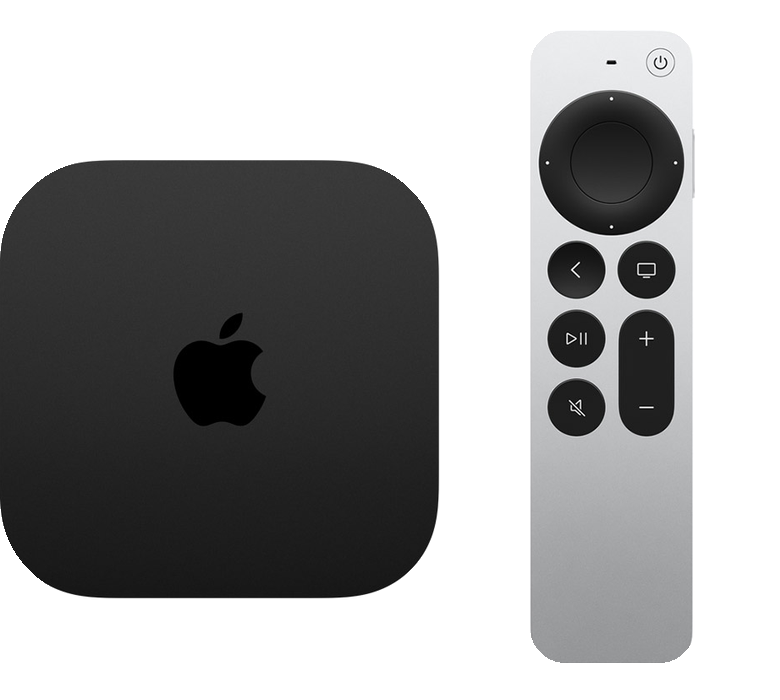
The native Apple TV app is included with MODE 1090 and uses the same live sky around your location.Explore the Apple TV app and controlsSiri Remote
Five actions. The whole sky.
MODE 1090 keeps the television free of permanent controls. Everything important is already on the remote.
- 01Clickpad center
- Show the selected aircraft details again
- 02Back
- Hide aircraft details and photo
- 03Left / right
- Switch aircraft while details are open
- 04Up / down
- Cycle through the label styles
- 05Play / Pause
- Open range, view and OLED options
Apple Watch
Your sky, at a glance.
Keep nearby aircraft on your wrist with a full-screen radar, focused details and range control through the Digital Crown.
Open a selected aircraft on iPhone with Handoff when you want the complete flight view.Across the Apple ecosystem
One sky. Every screen.
Start on iPhone, keep the radar visible on iPad or Mac, glance at Apple Watch and let Apple TV fill the room.
Local by default
Your sightings stay yours.
The collection works locally without an account. If you opt in, its compact, privacy-reduced records sync between iPhone, iPad and Mac at no extra cost.
- No account required
- Free, optional collection sync
- Exact location and sensor evidence stay local
- JSON export under your control
Keep exploring
Answers, field notes, what comes next.
Everything important stays easy to inspect—from first launch to the roadmap.
Straight answers.
01Does the iPhone receive 1090 MHz aircraft signals?+
No. MODE 1090 visualizes live flight data supplied through data providers and its own backend. The name is inspired by Mode S and 1090ES.
02Does the camera identify the aircraft visually?+
Not by image recognition. Pointing mode combines your location, compass, device tilt and fresh nearby tracks, then asks you to confirm the visible aircraft.
03Do I need an account?+
No. Collection and sighting history keep working locally. An account is only needed if you choose the free cross-device collection sync.
04Is MODE 1090 an air navigation tool?+
No. It is a discovery and spotting product, not a certified navigation or air traffic control system.
05Which Apple devices is MODE 1090 built for?+
The MODE 1090 product family is designed for iPhone, iPad, Mac, Apple Watch and Apple TV.
Available now
Look up again.
MODE 1090 is available on the App Store. Download it once and take your live sky from iPhone to the biggest screen in the room.
Download on the App StoreFor iPhone, iPad, Apple Watch and Apple TV